
Platform guide
Best Platforms for Day Trading: A Practical Comparison
The best platforms for day trading depend on the market you trade and how you manage orders. This guide compares MT4, MT5, cTrader and TradingView using published features, then shows what to check on the actual broker account.
Quick answer
MT4 can fit an existing MQL4 workflow; MT5 offers broader documented testing capabilities; cTrader is worth assessing for order controls; TradingView suits chart-led analysis with supported broker connections. Test the job you need done—there is no measured fastest-platform winner here.
| Platform | Potential fit |
|---|---|
| MT4 | Existing compatible MQL4 tools. |
| MT5 | Broader documented testing tools. |
| cTrader | Order and protection workflows. |
| TradingView | Charts with supported broker connections. |
- Confirm the exact product, account mode and data source.
- Try protection orders, cancellations and recovery on demo.
- Compare brokerage, subscription and data costs together.
On this page

How to compare the best platforms for day trading
Start with the instrument, not the interface. Confirm the exact product, contract specification and trading venue or execution arrangement offered by your broker. A platform may technically support several asset classes while a particular account offers only some of them. A chart listing is not proof of trading permission.
Then check how orders and positions are represented. Netting accounts consolidate exposure in an instrument; hedging arrangements can represent separate positions. These differences affect closing workflows and automation. Establish what your actual account uses before copying instructions from a tutorial created for a different environment.
MetaTrader 4: a practical legacy ecosystem choice
MT4 remains relevant when a broker offers it and a trader already uses compatible MQL4 tools. That continuity can be a valid reason to retain the platform. It does not establish that an old robot is profitable or that every available plugin is safe, maintained and appropriate for the account.
MetaQuotes’ MT4 and MT5 comparison describes differences in order types, charting and testing capabilities. Use it to identify features you need, while remembering it is vendor documentation. Platform features alone do not measure the connected broker’s execution quality.
The strongest case for MT4 is specific compatibility. If your validated workflow relies on an MQL4 component, migration may involve redevelopment and new testing. The weaker case is habit without review: keeping a setup because it is familiar while ignoring unsupported tools, unclear risk controls or better-suited account options.
For a demo assessment, open the exact broker server and inspect instrument specifications. Place and cancel pending orders, attach the protections you need and reconcile the history. If using automation, test restart behaviour and verify that only one intended instance can submit trades.
MetaTrader 5: broader tools when the account supports them
MT5 is a different platform with MQL5, broader documented market capabilities and a more advanced testing environment. MetaQuotes lists multi-threaded, multi-currency testing and real-tick support in its comparison. These tools are useful for research, but their presence does not make a poorly specified strategy reliable.
It is a strong candidate when your broker offers the required instruments and you need its account modes or testing features. Check symbol availability, data history and permission settings on that specific server. Exchange-related features depend on the account and data provision, rather than appearing identically at every MT5 broker.
An MT4 expert adviser should not be treated as a plug-and-play MT5 program. Confirm the language and version, then retest behaviour in the destination environment. Even a manual workflow needs a fresh check if the account’s position mode or instrument conventions differ from the previous setup.
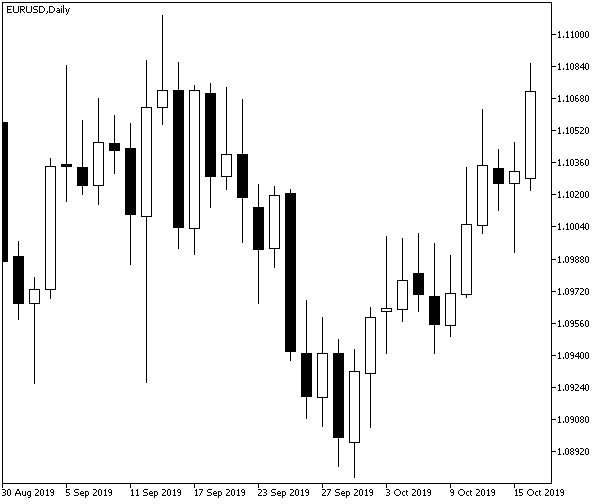

Try these three tasks in a demo account:
- Submit, change and cancel a pending order on demo.
- Open a protected demo position and check its status.
- Find the working order, completed deal and resulting position in the records.
cTrader: evaluate the actual order workflow
cTrader is worth assessing when a suitable broker offers it and you want a clear order-management workflow. The cTrader Mobile documentation describes market, limit, stop and stop-limit orders, chart trading and server-held protections. Desktop and mobile interfaces should still be evaluated separately for your required features.
When comparing the best platforms for day trading, check what the depth-of-market screen actually shows. Ask about its price and volume sources. Forex is decentralised, so one broker’s view does not represent all liquidity or promise a particular fill.
Automation also requires checking the supported environment. cTrader documents cloud cBot execution in its mobile guidance, which differs from assuming every bot needs a user-managed VPS. Confirm compatibility, permissions and limits for the actual deployment route. Never run duplicate copies simply to make a setup feel more resilient.
On demo, compare the ticket, chart and position list while modifying a stop or closing part of a position where supported. Ask which protections remain active when the application closes. The goal is a workflow you can explain, including failures, rather than a preference based only on visual design.

TradingView: analysis first, broker integration second
TradingView is a practical candidate for chart-led analysis and a familiar browser-based workspace. Trading through it depends on a supported broker connection and the functions available through that integration. Do not assume that analysing an instrument on the platform means every connected broker will let you trade it.
The official TradingView brokerage integration page describes its integration ecosystem and broker-facing arrangements. For a retail decision, verify the current broker list and your entity’s eligibility, then inspect the actual account connection. Features and commercial terms can vary independently of the charting subscription.
A charting plan, a data subscription and brokerage charges are separate cost questions. For example, an instrument might have delayed data unless the appropriate entitlement is active. Before using an intraday signal, establish the quote source and timeliness rather than assuming every displayed price is an executable live quote.
For practice, use the available simulated environment to learn order controls, then evaluate the chosen broker integration separately. Test login recovery and working-order visibility. A clean chart layout helps analysis, but the order state and account exposure must remain clear when attention shifts away from the chart.
Choose the tool for the job
| Platform | Conditional fit | What to verify first |
|---|---|---|
| MT4 | Existing compatible MQL4 workflow | Maintenance, broker support and instrument terms |
| MT5 | Broader platform and testing requirements | Account mode, data and available markets |
| cTrader | Deliberate order and protection workflows | Broker configuration and deployment environment |
| TradingView | Chart-led analysis and supported connections | Broker eligibility, data and integration features |
No row is an overall broker recommendation. If your main requirement is mobile learning, the best day trading app for beginners narrows the comparison to smaller-screen workflows. If you need robots, our auto trading guide separates strategy evaluation from the software that executes it.
Run the same demo checklist on each candidate
Use one instrument and one hypothetical position size across the platforms being compared, allowing for different contract specifications. Record order-entry steps, visible costs, modification behaviour and how history is exported. Avoid assessing four different brokers and attributing every difference to the platform brand.
Include a disconnect and restart exercise without real funds at risk. Check which orders remain active, whether the application restores the correct account and whether logs explain any exceptions. Save screenshots without private account details. A useful comparison should remain understandable after the first impression of the interface has faded.
Check what you can take with you
Ask what you can export: account history, chart templates, indicator settings and any strategy code you own. A platform can be convenient while making a later move time-consuming. Keep a plain-language record of the trading rules so the process remains understandable outside a particular interface or plugin.
For a hypothetical move between brokers, compare symbol names, contract sizes, session times and account modes before importing old settings. A template may restore the appearance of a chart without reproducing the account assumptions behind its orders. Use a fresh demo checklist rather than assuming visual familiarity proves operational compatibility.
Trading from South Africa? Our South African forex beginner guide explains broker verification, demo practice, funding checks and affordable risk.
Frequently asked questions
Is MT5 always better than MT4 for day trading?
Not always. MT5 offers broader documented features, while an established MQL4 workflow may justify MT4. Compare your actual broker account, instruments and tools before moving.
Which platform gives the fastest trade execution?
This guide does not contain controlled live speed tests. Broker infrastructure, networks, order type and market conditions affect fills; a responsive screen alone cannot establish execution quality.
Can I use the same robot on every platform?
Usually not unchanged. Programming environments, broker connections and account assumptions differ. Confirm compatibility, then retest sizing, order handling and recovery in the new setup.
Test the workflow before choosing the brand
Shortlist the best platforms for day trading from those your eligible brokers support, then try the same demo tasks on each. Favour clear exposure, usable controls and accessible records. Features are useful when they help you operate your process; they do not establish profitability.
Disclaimer
Educational information, not personal investment advice. Leveraged trading can cause substantial losses. Product availability, provider rules and costs vary by jurisdiction and can change. No affiliate links are used, and no returns or rankings are guaranteed.